Versed shows the line you're hearing on your profile, synced to Spotify, Apple Music, TIDAL and your browser.
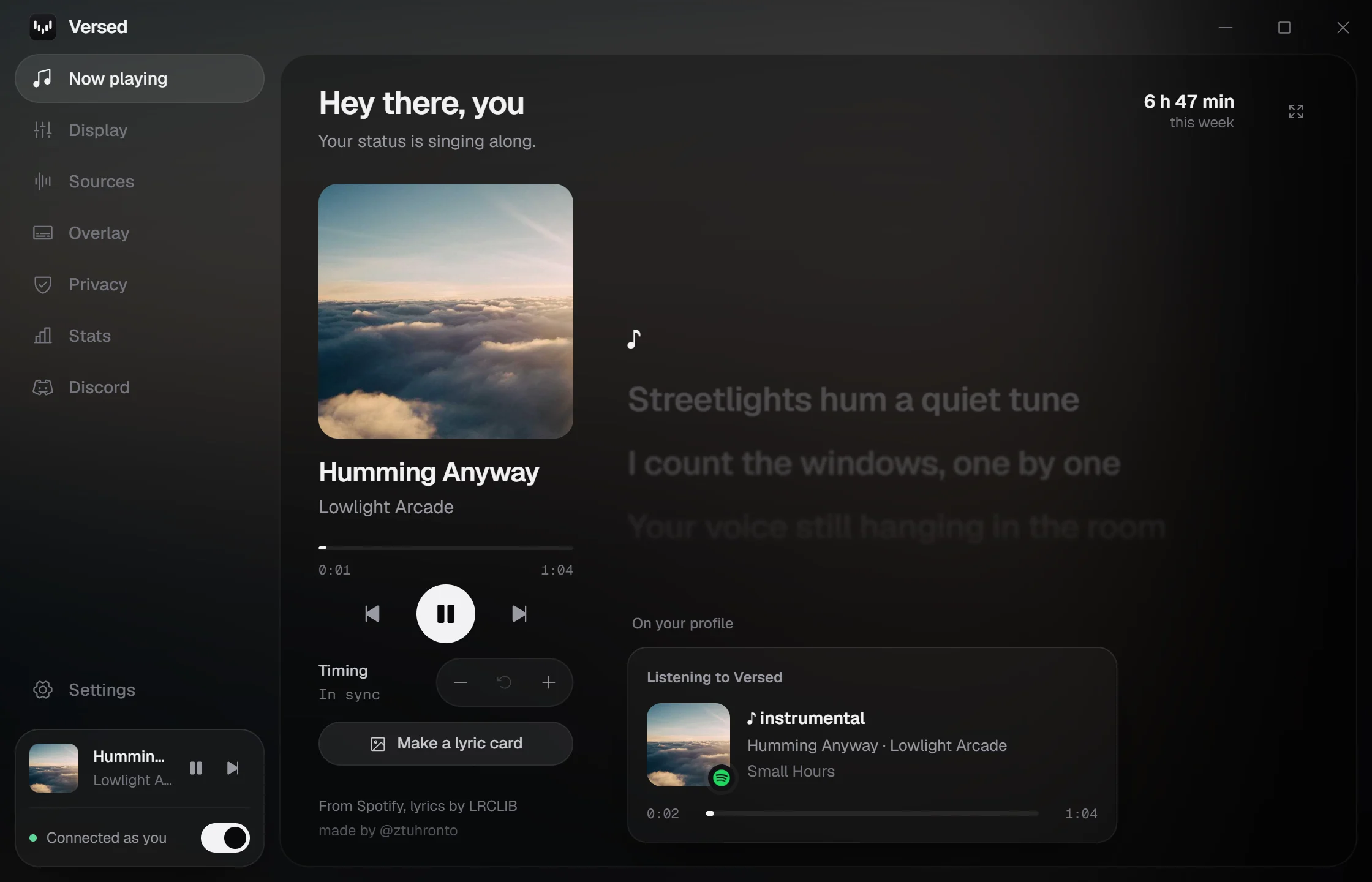



Works with anything in your media controls on Windows and Linux, and with Spotify and Apple Music on macOS
Versed sees what's playing, finds time-synced lyrics, and lights up each line as it's sung.
- Streetlights hum a quiet tune
- I count the windows, one by one
- Your voice still hanging in the room
- Like heat that lingers after sun
- So let it play, let it play
- Every word I meant to say
- Slower now, the colors fade
- Into the static, into grey
- Morning folds the night away
- And I am humming anyway
Discord shows a status change about every ten seconds. Versed sends the line you'll see longest, so your status never falls behind the song.
Play with the settings and see what your friends would see. The line changes about every 10 seconds, same as on Discord.
These are the real settings from the app.
Everything runs on your PC. No account, nothing to sign in to.

A player over everything
A now-playing card that floats over your games and apps, glowing in the colors of each cover. Rest your mouse on it to skip, pause or scrub. Clicks pass through it otherwise. There's a slim version too if the card is too big.

Big lyrics
Press F and the window shows just the line being sung, huge. For a second screen or a party.
Romanization built in
Japanese and Korean lyrics in Latin letters, in Versed and on your status if you want. Worked out on your PC.
An overlay over anything
Click-through lyrics above games, video and everything else. Drag it where you like, and let each song's cover pick its color.
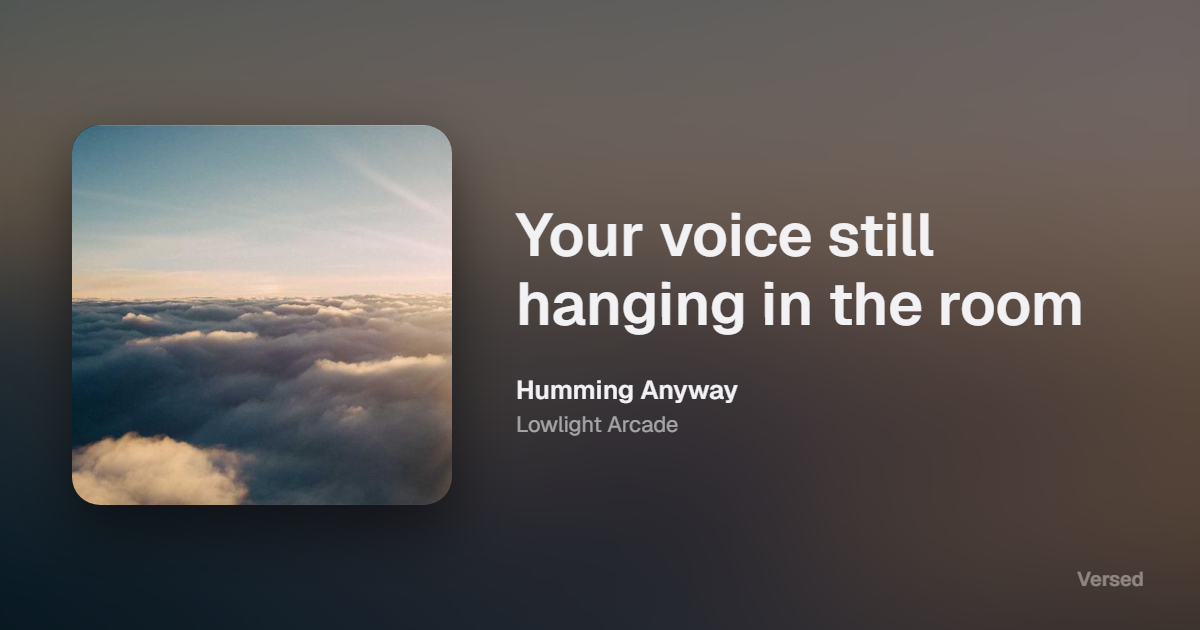
Lyric cards
Turn the current line into an image, wide or sized for a post or a story. Copy it or save it.
Your status, your way
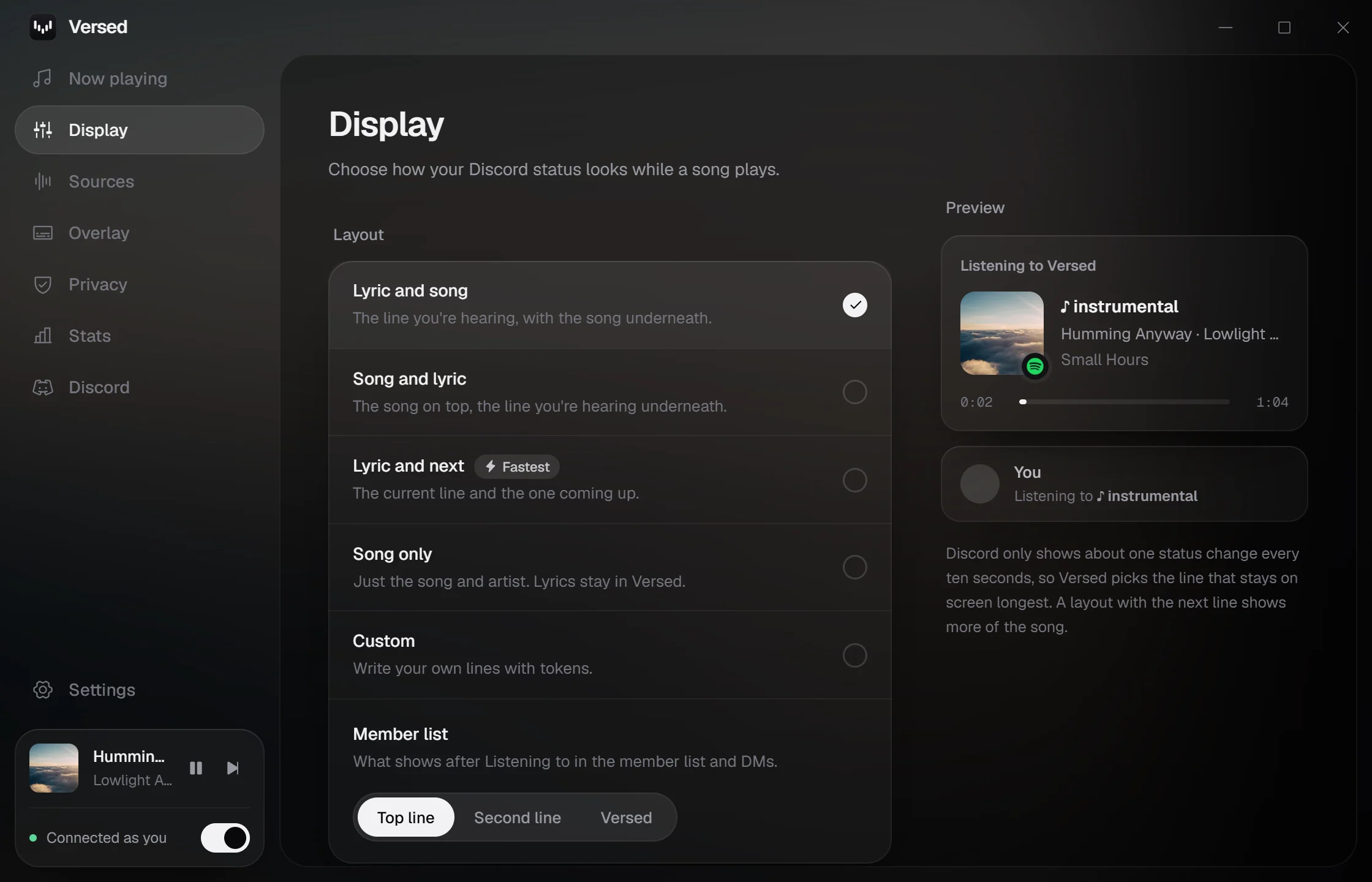
Pick a layout or write your own with tokens like {line} and {title}. All lowercase if that's more your style.
- Lyric and song
- Song and lyric
- Lyric and next Fastest
- Song only
- Custom
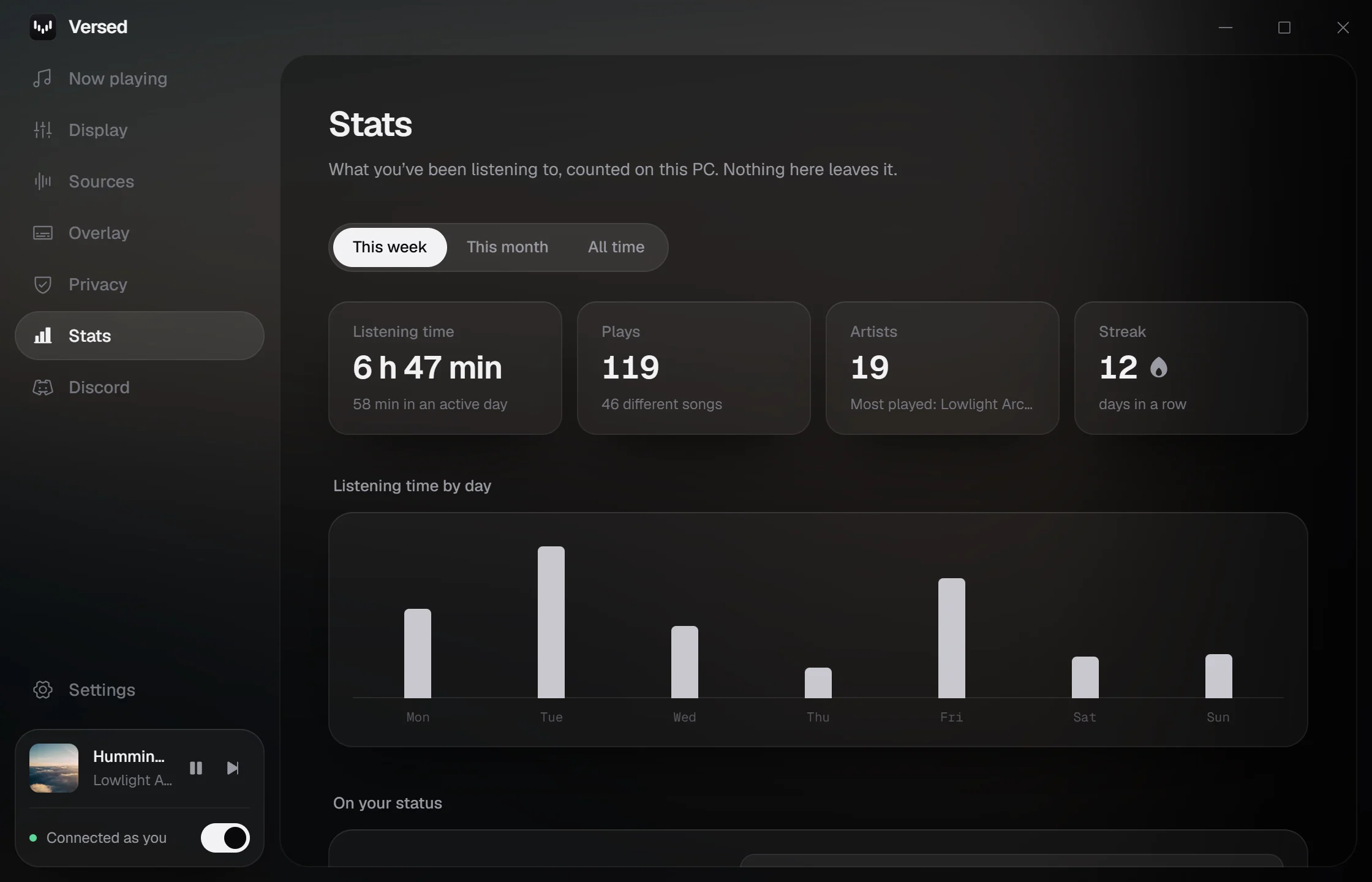
Your listening, counted
Top songs and artists, hours listened, streaks, every year you've listened, and how many lyric lines made it to your status. Your history stays on your PC.
Bring your Spotify history
Drop your Spotify data download into Stats and years of plays show up, sorted by year. Nothing leaves your PC.
Pauses when you'd want it to
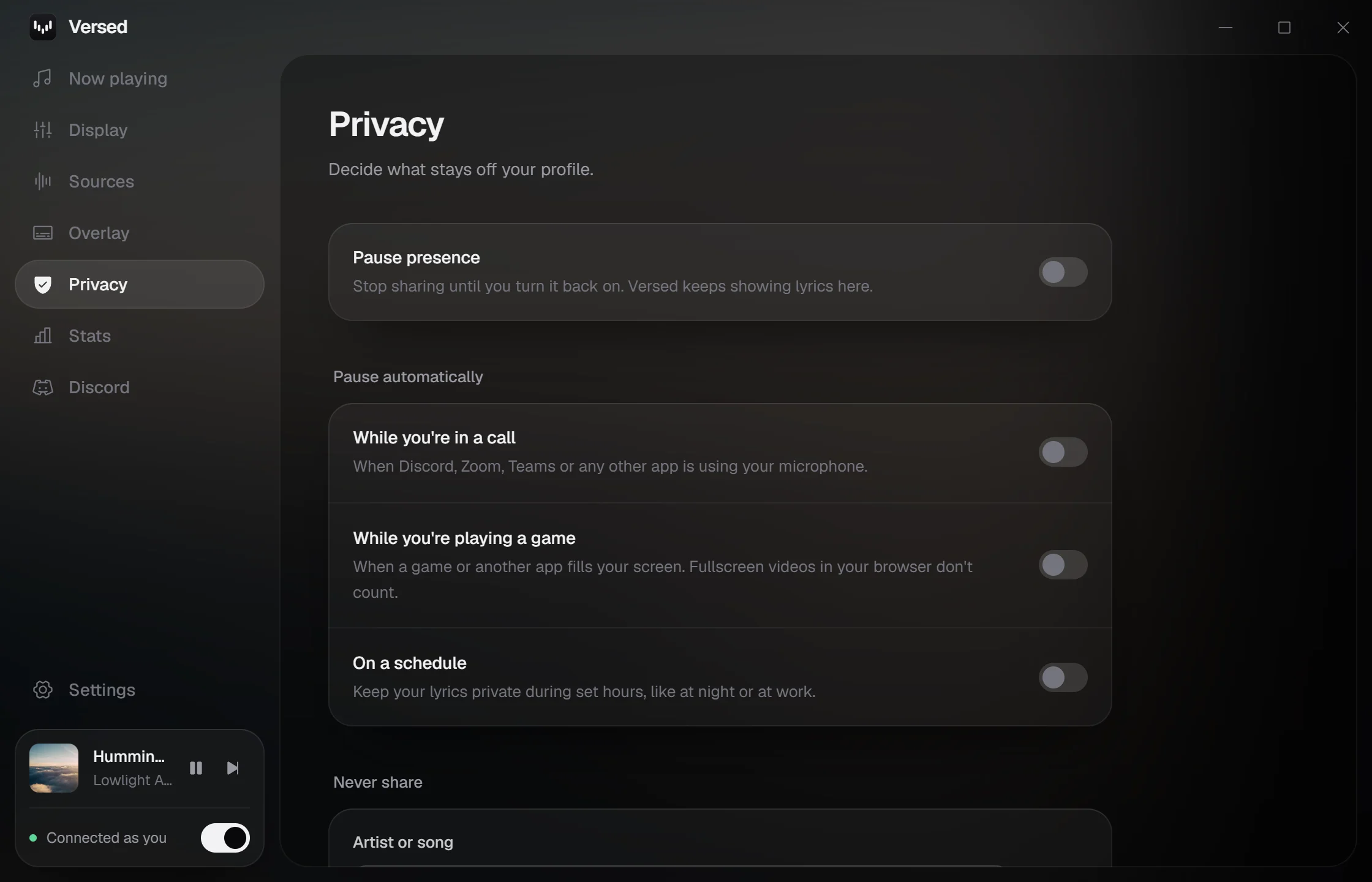
Versed can hide your lyrics on its own while you're in a call, while a game fills your screen, or during hours you pick. Sharing comes back by itself.
- While you're in a call
- While you're playing a game
- From 11 PM to 8 AM
Buttons on your profile
Up to two links under your status, like Play on Spotify with the song filled in.
Quiet in the tray
Play, pause, skip or drag through the song from Versed, the tray or the player overlay. With the window closed it idles at about 8 MB.
- Pause sharing
- CtrlAltP
- Lyrics overlay
- CtrlAltO
- Player
- CtrlAltL
Now playing
Synced lyrics that light up as they are sung. Click any line to jump there, drag the bar to scrub, or press F for big lyrics.
Display
Every line of your status, with a live preview of your profile. Pick a layout, write your own, and add buttons that link to the song.
Stats
Your top songs and artists, how long you listened, any year at a glance, and the lyric line your status showed most. Import your Spotify history to fill it in. Counted on your PC, and you can clear it anytime.
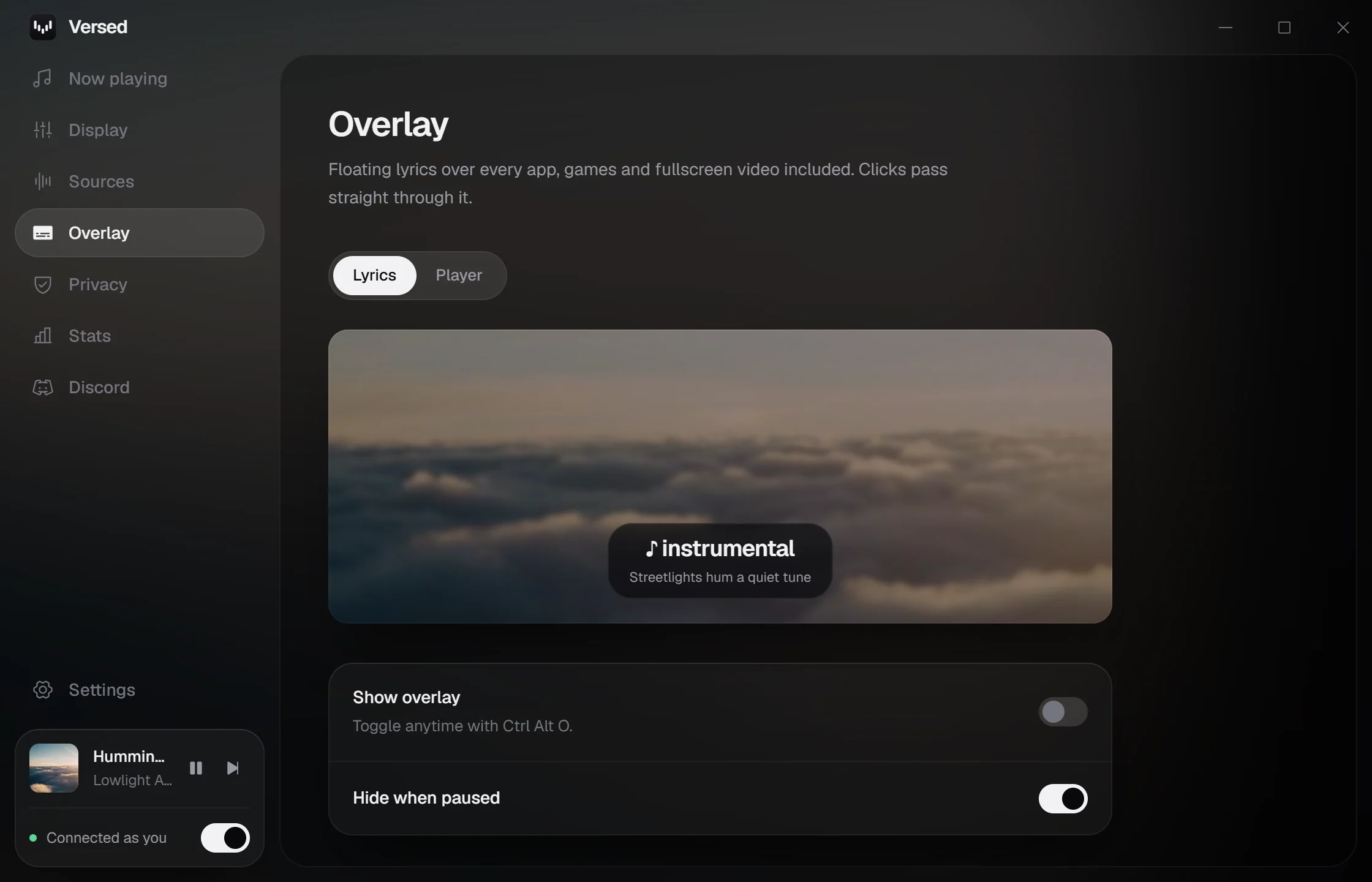
Overlay
Two overlays: floating lyrics, and a player card with controls that glows in the cover’s colors. Size, style, position and colors for each.
Privacy
Pause sharing on its own during calls, games or set hours, and hide songs or artists you would rather keep to yourself.
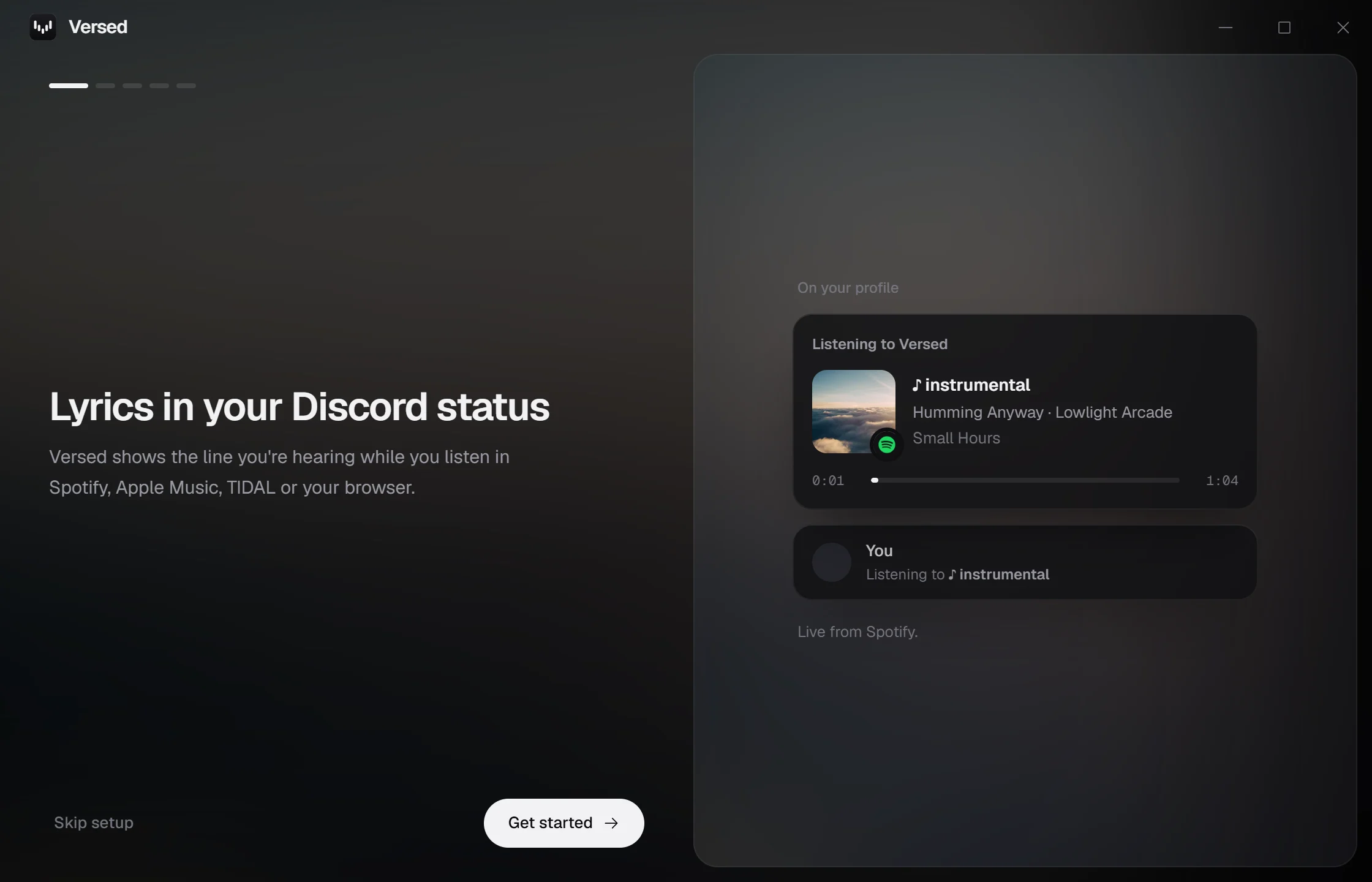
Setup
A short guide on first launch. Discord connects on its own.
Yes. There is no account, no subscription and no ads.
On Windows and Linux, anything that shows up in the system's media controls: Spotify, Apple Music, TIDAL, Deezer, YouTube Music and SoundCloud in your browser, VLC and more. On macOS, Spotify and Apple Music. You can limit it to the apps you choose.
Windows 10 and 11, macOS 11 or newer (Apple Silicon and Intel), and Linux as an AppImage or a .deb. The macOS and Linux versions are in beta: they were mostly tested on Windows, so some things may not work yet. You need the Discord desktop app on the same computer.
LRCLIB, a free community lyrics library, with NetEase filling in songs LRCLIB is missing. Songs without synced lyrics show the title and artist instead, and you can drop in your own .lrc file.
Turn off Spotify's own status in Discord under Settings, Connections, Spotify, so your profile only shows Versed.
Discord only shows about one status change every ten seconds and quietly drops anything faster. Versed sends at that pace and picks the line that will be on screen longest, so every update actually shows. A layout with the next line shows more of the song. If a song's lyrics are off, nudge them with Ctrl Alt and the arrow keys.
Only on your PC, to build the Stats page. A song counts after 30 seconds of listening, nothing is uploaded anywhere, songs on your privacy list are skipped, and you can turn it off or clear it in Stats.
Yes. Request your data from Spotify's privacy page (the extended streaming history goes back to when you joined; the account data covers the past year), then choose the ZIP in Stats or drop it on the page. You see what's in it before anything is saved, plays Versed already counted are skipped, and you can remove the import anytime.
Yes. In Privacy, turn on Pause automatically. Versed stops sharing while an app like Discord, Zoom or Teams is using your microphone, while a game fills your screen, or during hours you choose, and starts again on its own. The call rule works on Windows and Linux, the game rule on Windows, and the schedule everywhere.
Versed isn't code-signed yet. On Windows, SmartScreen may say it doesn't recognize the app: choose More info, then Run anyway. On macOS, open Versed once, then go to System Settings, Privacy & Security and choose Open Anyway. The first time Spotify or Music is open, macOS also asks whether Versed may control it; choose OK so it can read the song. If you chose Don't Allow, Versed shows a button that opens System Settings, Privacy & Security, Automation, where you can turn it back on.
Versed checks GitHub for new versions, downloads them in the background and asks before restarting. You can turn this off in Settings. On Linux the AppImage updates itself; for the .deb, download the new one.